I was migrating from Google Workspace to Zoho mail. There was no need to import 8 years of messages into Zoho, but the history was still worth keeping. Google has an export tool called Takeout. It created a single 2.5 GB .mbox file. Rather than hand the archive to a third party, I built the reader: a splitter, a search index, and a full mail client - in the Python standard library alone, entirely through Claude Code.
The existing options all wanted something in return - a live email account, a third-party extension, an upload to somebody's cloud - to read mail I already owned. None of that is a technical requirement. It is just how the tools happen to be built. So this one is built the other way: it runs local in my browser and never sends a message anywhere.
Closing a Google Workspace account is easy. Keeping the mail is not. Google Takeout hands you your archive in a format designed for migration between mail providers - not for reading.
Every message, label, star and attachment, concatenated into a single 2.5 GB
.mbox. Correct, complete, and unreadable by any normal application.
Desktop clients expect a live account to attach the archive to. Others need a third-party extension, or want the whole thing uploaded to read it back to you.
Once the account closes, the export is the only copy. Whatever reads it has to keep working with no service behind it to depend on.
Three problems, solved in order, because each one depends on the last: get the messages out of the blob, make every message searchable, then make them pleasant to read. Every line written through Claude Code.
mbox_split.py walks the 2.5 GB file with Python's own
mailbox module and writes each message as a separate
.eml, packed into size-capped ZIPs.
A SQLite database with an FTS5 full-text index over every subject, sender, recipient and body. Indexing runs at roughly 300 messages a second and is incremental on re-run.
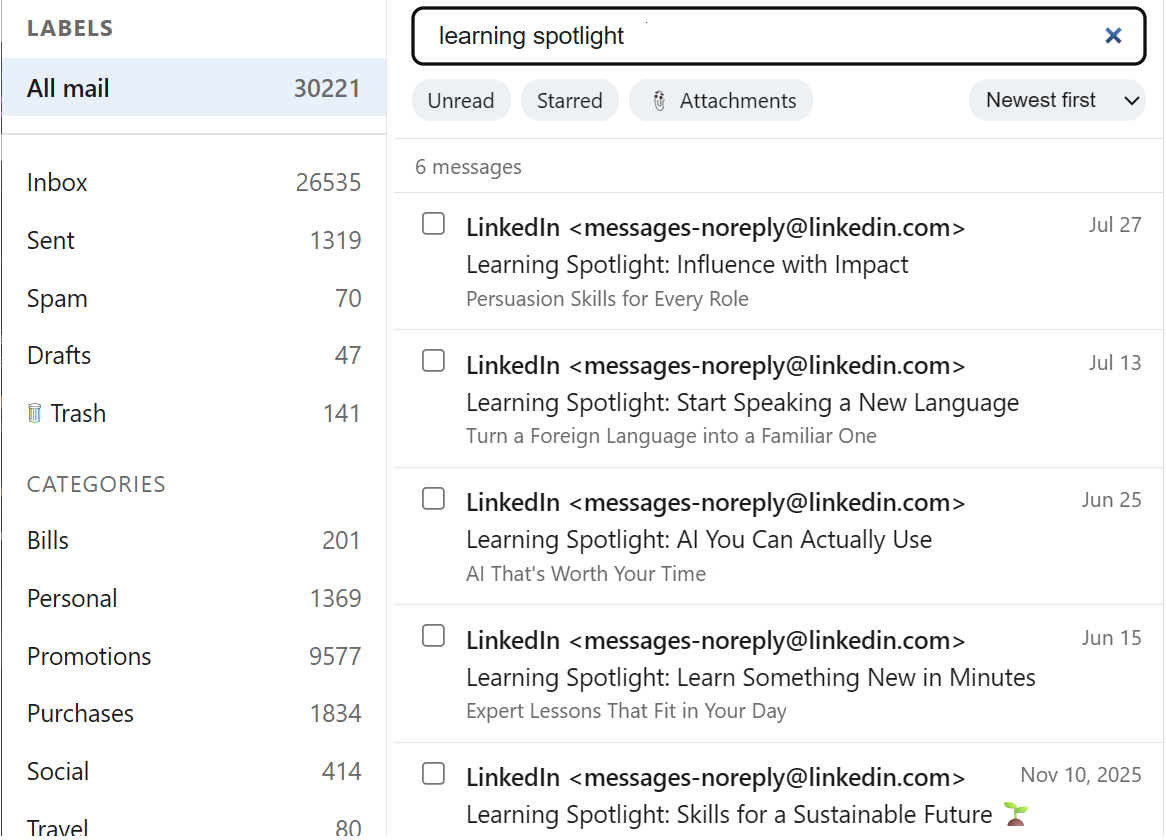
A local HTTP server and a single-page front end: labels, threads, attachments, search operators, sorting, read and starred state, and a Trash that can be undone.
A taskbar launcher opens it in an app-mode browser window and stops the server when the window closes. It behaves like an installed program, without being one.
Everything expected of a mail client, minus the parts an archive does not need. There is no compose window, no sync, and no account - just fast, complete access to mail that already exists.
from:linkedin, subject:delivered,
body:refund, file:.pdf, or
"an exact phrase" - combined freely in one box.
Re: and Fwd: so replies stay with their thread.
default-src 'none'
policy. The sender's design is preserved exactly; it just cannot escape the frame
or restyle the application around it.
.eml files are untouched and one
click restores from Trash. Permanent deletion exists, but only inside Trash,
always confirms, and sends files to the Recycle Bin.
Four SQLite tables and about three thousand lines of Python. No framework, no package
manager, no build step - python neonmail.py serve and it runs.
The .eml files on disk stay the only copy of the mail. Message bodies are
duplicated into SQLite so search can reach them, but attachment bytes never are - they
are extracted from the original file on download. Delete the database and nothing is
lost; re-running index rebuilds it.
| Table | Holds |
|---|---|
| messages | One row per .eml: headers, both bodies, dates, counts, and the read / starred / deleted flags |
| labels | Gmail labels, one row per message per label - what drives the sidebar |
| attachments | One row per MIME part, with the inline flag that separates real files from tracking pixels |
| msg_fts | The FTS5 search index over subject, sender, recipients and body |
msg_fts is declared content='' - a contentless FTS5
table. It stores the search terms and nothing else, rather than keeping a second
copy of every message body. That is the difference between a database roughly the
size of the mail and one twice that size.
The trade-off is that rows cannot be updated in place. Deleting a message means
handing FTS5 the old values back so it can unpick them - which is why
delete_message() reads the row before it removes it. Skip that and
deleted mail keeps turning up in search results.
# an external-content FTS5 index needs the old values to delete cleanly conn.execute( "INSERT INTO msg_fts(msg_fts, rowid, subject, sender, recipients, body) " "VALUES('delete', ?, ?, ?, ?, ?)", (msg_id, row["subject"], row["sender"], row["recipients"], row["body_text"]), )
mailbox and email parse the archivesqlite3 is the database and the search enginehttp.server is the web serverctypes reaches the Recycle Bin on Windowspip install, everfix_paths.py repairs stored paths after the folder moves127.0.0.1 - not reachable from the networkThis is not a better mail client than the ones that already exist. It is a better mail client for this - which is the whole point, and the part that changed.